 ENGLISH
  DEUTSCH
  简体中文
简体中文  ESPAñOL
  한국어
한국어 
An Interactive Guide to Finding the Perfect 3D Sensor for Your Application
Photoneo offers a comprehensive portfolio of 3D sensing devices across three distinct line-ups. Each line-up was designed to deliver specific value for its intended purpose.
While having a broad range of devices tailored for everything from robot guidance to quality control is a major advantage, we know that such a wide selection can make choosing the right one a challenge.
That’s why we created the Sensor Selector, an interactive selection guide tailored to help you pinpoint the perfect fit for your specific 3D sensing needs.
Let’s take a closer look.
An Interactive Interface Made Simple
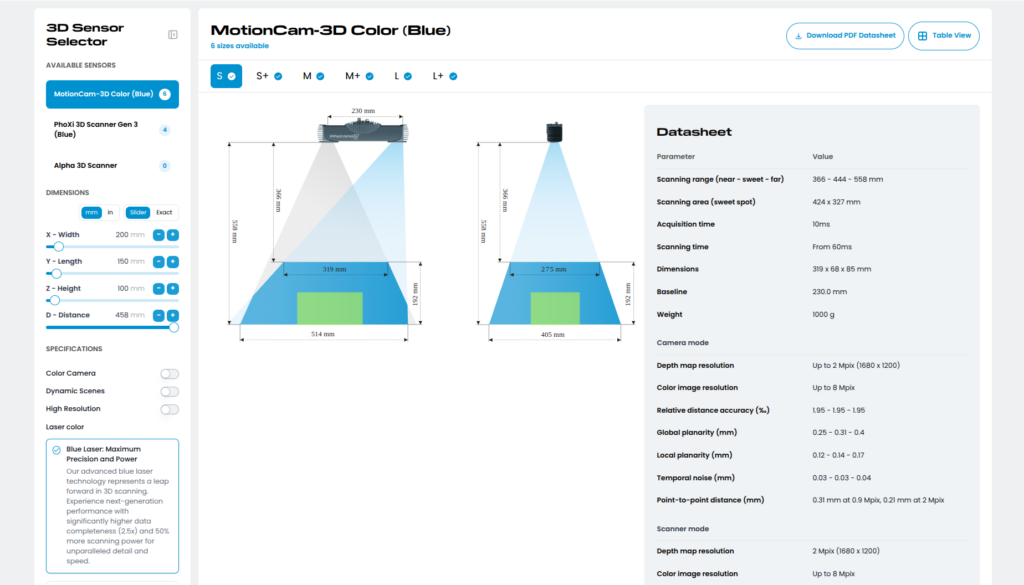
At a glance , you get a full overview of the selected 3D sensor, featuring a field-of-view simulation, a quick datasheet, and a dedicated table view focused on exact specifications and available models. By default, the Sensor Selector highlights the MotionCam-3D Color (Blue) and its variants, ranging from S to L+.
While you can browse through specific models and their variants just to compare performance metrics and visualizations, the Sensor Selector is purpose-built to guide you toward the ideal device for your requirements.
Everything you need to make an informed decision is conveniently located in the side menu.
How to Choose the Best 3D Sensor
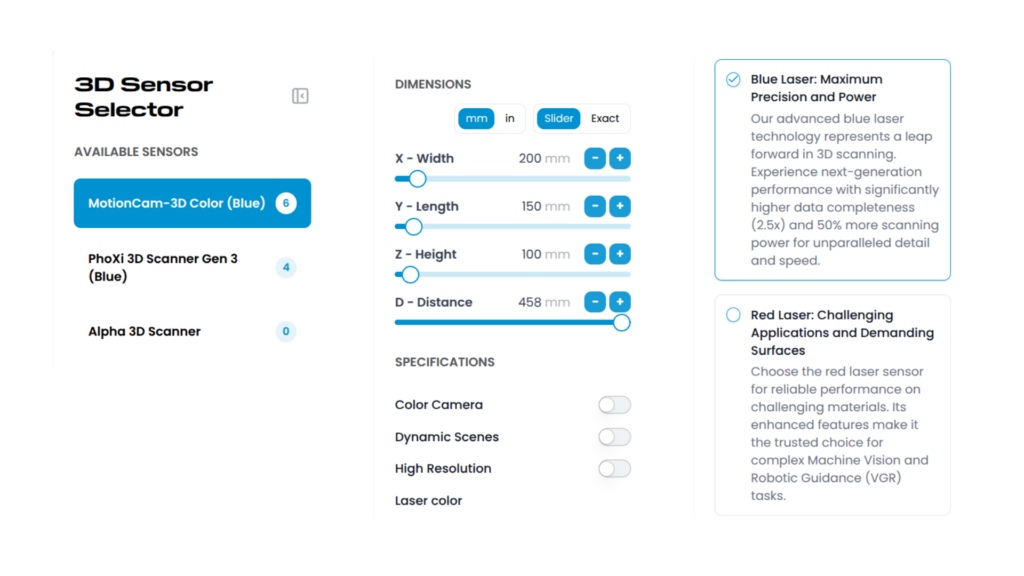
You can start by skimming through the available Photoneo sensor line-ups: MotionCam-3D Color, PhoXi 3D Scanner, and Alpha 3D Scanner.
Doing so provides an instant, interactive field-of-view visualization, a datasheet, and a list of available sizes for the selected model.
If you’re unsure which model to explore first, you can skip the initial manual selection and instead define your exact parameters to filter out the 3D sensors best suited for your application.
Dimension-Based Pre-Selection
The first step is specifying the dimensions of the objects you need to scan. You can define Width, Length, Height, and Distance.
For convenience, you can use the interactive sliders, or, if you know your exact parameters, simply switch to “Exact” mode and type the values directly into the input fields.
This step handles the most critical pre-selection. From here, you can move on to more specific technical requirements to get a sensor truly tailored to your needs.
Defining Key Specifications
In the previous step, you found the sensors that align with your spatial constraints. However, the ideal 3D sensor often depends on several other environmental and application-specific factors.
In the next section, you can filter based on whether your application requires:
- Color output (RGB)
- Dynamic scene capture (scanning in motion)
- High resolution
The next crucial consideration is deciding between a blue or red laser.
To understand the fundamental differences between red and blue laser technologies, we must look at the physics of light interaction with materials – specifically, the wavelength.
Blue lasers typically operate at wavelengths around 405–450 nanometers. This is significantly shorter than the 650–670 nanometer wavelengths of traditional red lasers.
This shorter wavelength brings several crucial advantages:
- Enhanced Surface Interaction: Shorter blue light wavelengths scatter more effectively, interacting better with microscopic surface textures that longer wavelengths might miss. This dramatically improves 3D data capture on traditionally challenging materials.
- Reduced Speckle Noise: Blue lasers significantly reduce speckle noise—the granular interference that hinders precision 3D scanning. Their finer speckle structure creates less data interference, yielding cleaner, more accurate point clouds.
- Superior Signal-to-Noise Ratio: When paired with optimized sensors, blue laser systems achieve higher signal-to-noise ratios. This ensures superior data quality, even in environments with difficult ambient lighting or complex material properties.
For a deeper dive into this topic, check out our detailed article on Blue Laser technology.
While it might sound like blue lasers are universally superior, blue and red lasers actually complement each other exceptionally well, especially in applications where a multi-view setup is needed.
If you “look” at a scene from two or more perspectives simultaneously using the same laser color, the overlapping light causes interference.
However, by triggering scans at the exact same time using one blue and one red laser, you completely bypass any interference side effects. This dual-color approach allows you to achieve significantly lower cycle times without sacrificing data quality.
Personalized Results for Your 3D Scanning Project
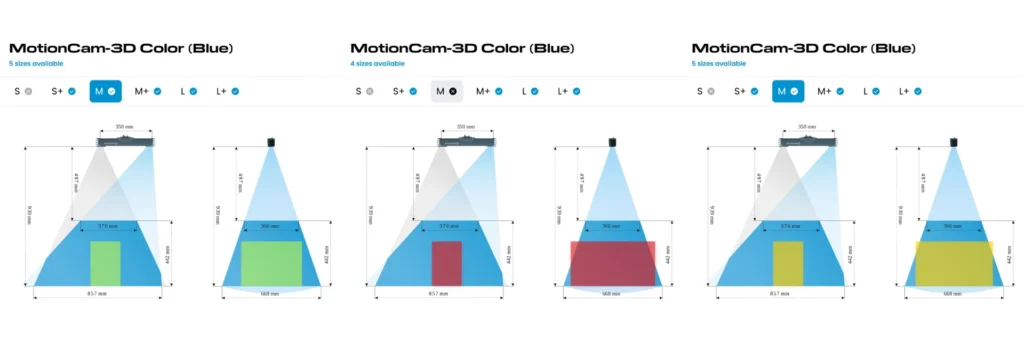
Once you apply all your personalized filters, you’ll see the number of suitable sensor models next to each line-up category at the top of the selection menu.
From there, you can browse through your custom recommendations, view visual references of their scanning parameters, and dive into their detailed datasheets.
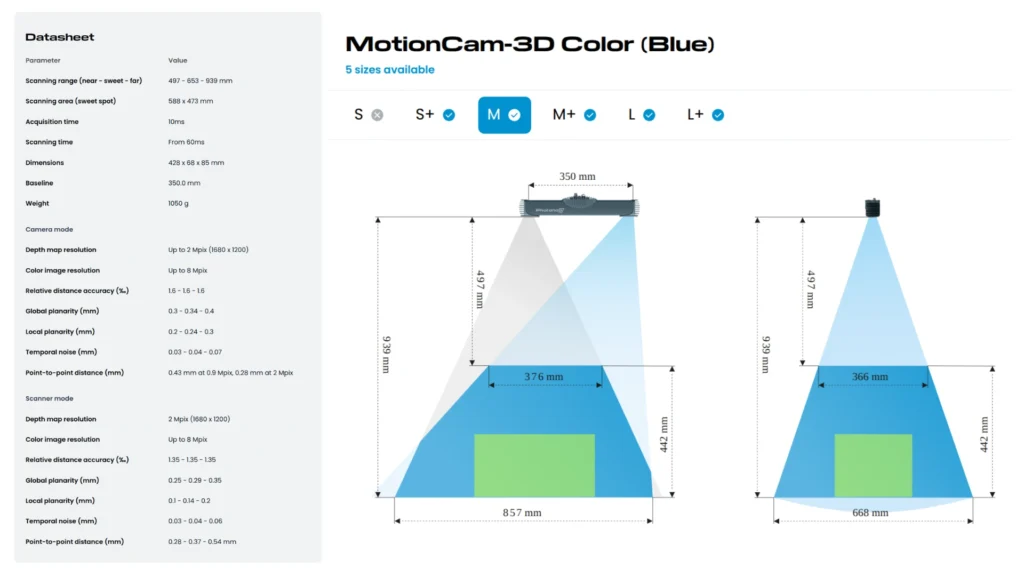
Your results are not locked in the Sensor Selector. You can click on “Download PDF Datasheet” and you will receive the full detail of your selected sensor in the PDF file.
Ready to find your match? Try the Sensor Selector now, or contact our team if you need expert guidance on your next project.


