ENGLISH
 DEUTSCH
 简体中文
 ESPAñOL
 한국어

PhoXi Control & PhoXi Firmware 1.18: Faster scans. Fuller point clouds. Fewer clicks.
PhoXi Control and PhoXi Firmware 1.18 add a faster scanning option and multi-capture HDR feature for the MotionCam-3D, several usability changes in PhoXi Control, and important maintenance and compatibility updates.
PhoXi Control and the firmware each carry part of the release, so to use the new features both should be updated to 1.18.
Fast Scanner Mode for MotionCam-3D Color
Fast Scanner Mode is a new option that gives you even more flexibility in tuning the MotionCam-3D Color to your exact application. On static scenes it combines high resolution and a high level of detail with scanning up to 2x faster than standard Scanner mode.It is a great fit for static scenes where both high detail and short scanning times matter, for example in logistics or bin picking.
In the software it appears as two new coding strategies under Scanner mode settings: Fast Normal and Fast Interreflections. The choice depends on the scene, as with the existing Normal and Interreflections strategies. Each offers three coding quality levels.
Together with Camera mode and Scanner mode, Fast Scanner Mode gives you another option for balancing speed, level of detail and dynamic range, so you can tune the MotionCam-3D even more precisely to your application.
Multi Capture HDR
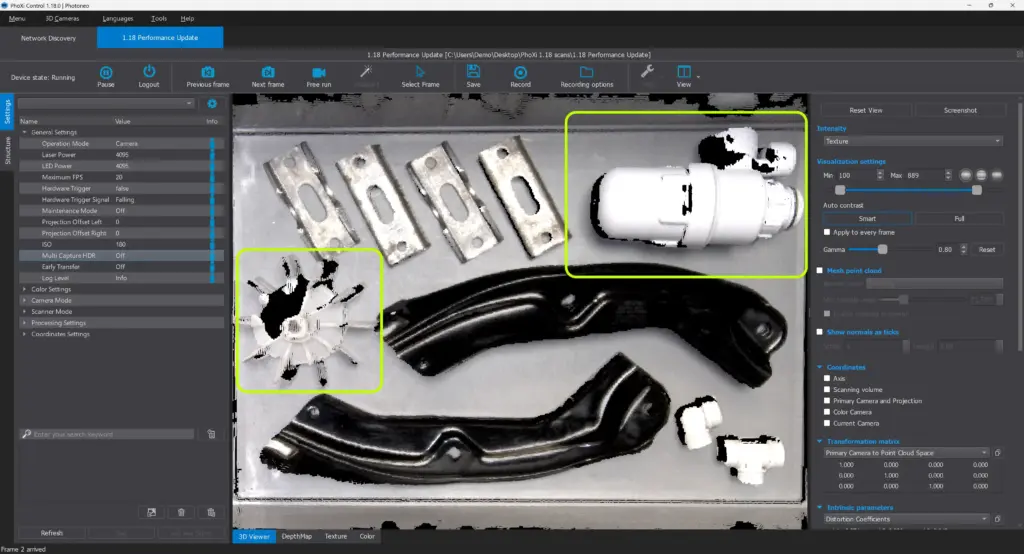
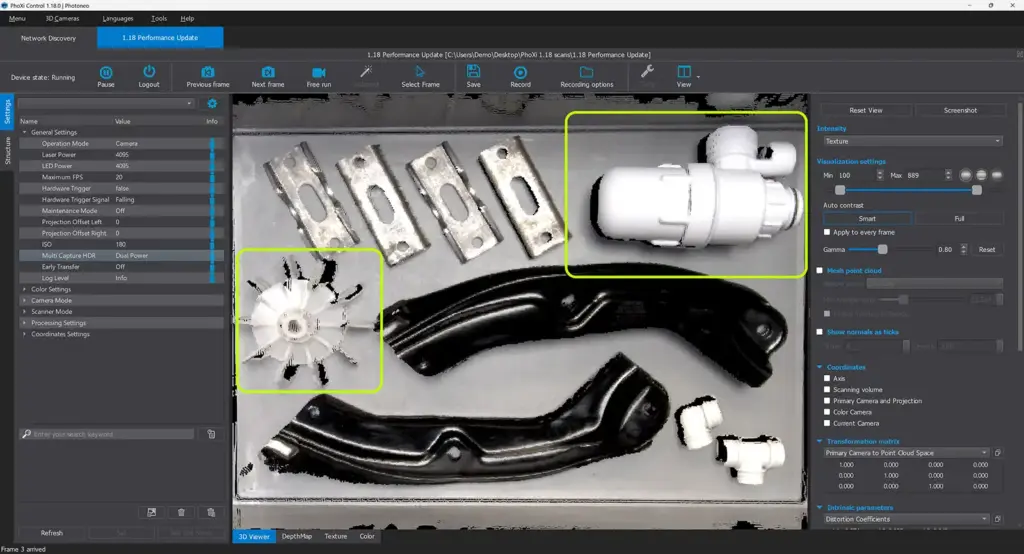
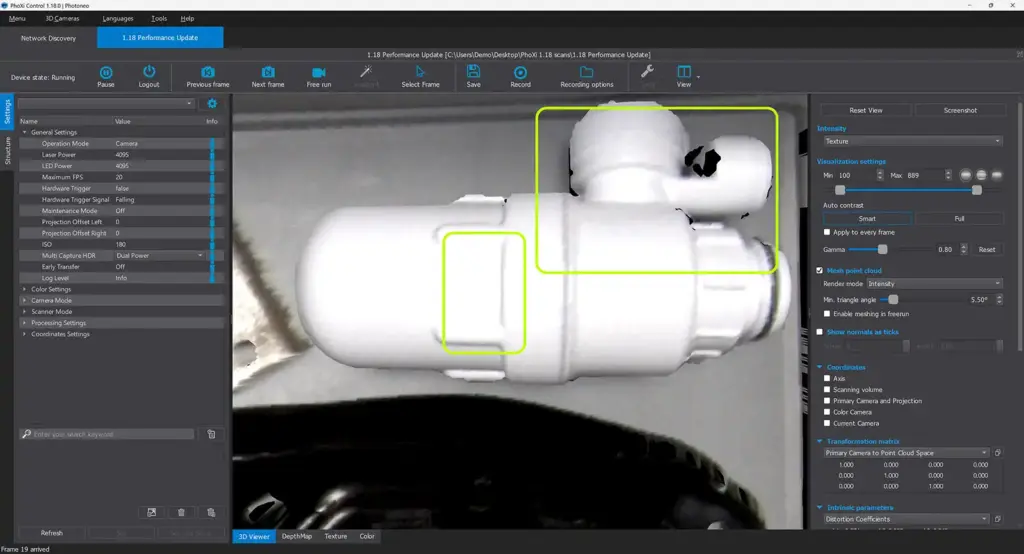
Multi Capture HDR combines multiple captures with different fine-tuned power settings into a single output. Together they raise the signal-to-noise ratio and extend dynamic range, which greatly improves the completeness of the point cloud on difficult surfaces.
It is available for all Photoneo sensors and operating modes, so you can benefit from it in any setup capturing a static scene.
This is especially beneficial on busy logistics sites. Where personnel, robot arms or vehicles moving at the edges of a static scene would normally add noise, Multi Capture HDR in Camera mode keeps your point cloud clean.
HDR OFF:
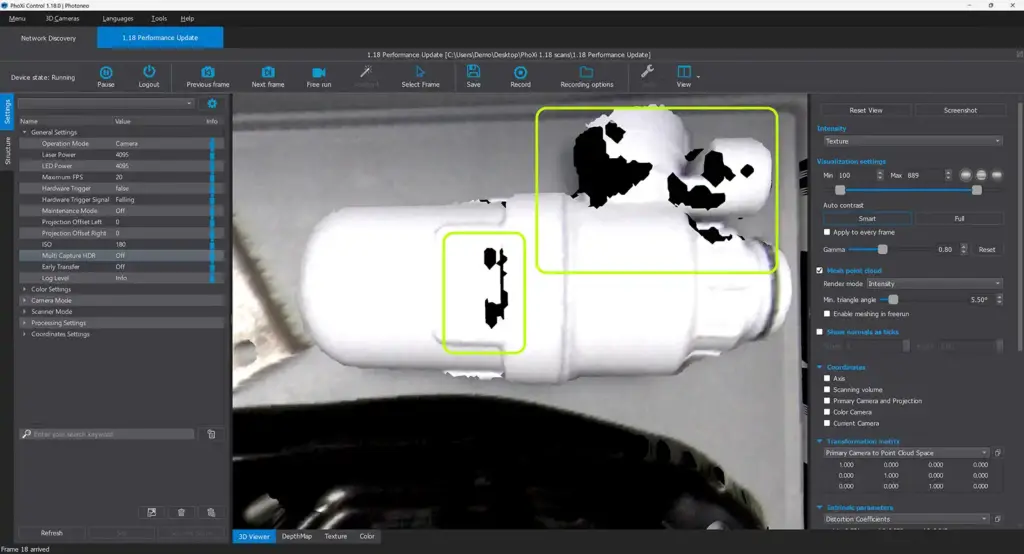
HDR ON:
PhoXi Control 1.18 quality of life changes
PhoXi Control 1.18. brings full PhoXi API support for all the new features introduced in PhoXi Firmware 1.18. Installing both is recommended in order to get the most out of the latest features. This includes the Scan Multiplier setting for Camera mode on the MotionCam-3D product family, two new coding strategies (Fast Normal and Fast Interreflections) for MotionCam-3D devices in Scanner mode, and the Multi Capture HDR setting for all Photoneo sensors.
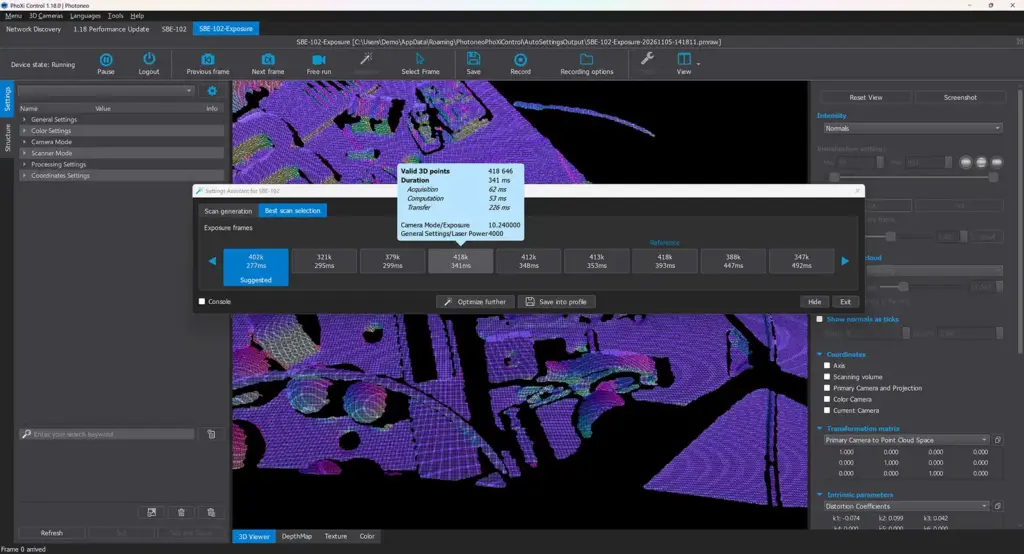
All of these features are also incorporated into the Settings Assistant, which automatically takes them into account when searching for the best configuration for your scene.
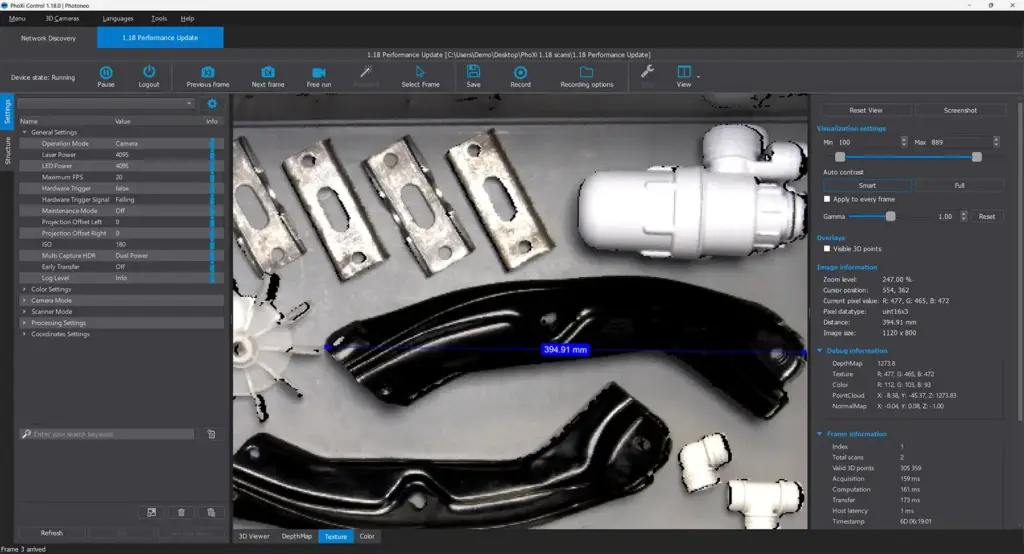
- Distance tool in the 3D viewer. Distances can now be measured directly in the 3D view. Previously, simple measurements were possible only in the texture or depth map views. The 3D viewer also gets a new shading style, White – Shaded, which shows the scanned geometry clearly without the texture. It is meant for quick checks, not as a replacement for dedicated metrology software.
- Rectangular 2D ROI cutout. The ROI for the color camera image (the ROI setting in Color Settings) can now be selected by drawing a rectangle directly in the 2D view, similar to cropping a photo. The full color camera image stays visible for reference while drawing.
- Point cloud mesh. Previously, PhoXi Control allowed users to save a meshed PLY. The mesh can now also be previewed in the viewer, with or without texture, and the minimum triangle angle setting updates the preview, so users see what will be saved. A typical use is scanning a real part and using the meshed scan instead of a CAD model for localization in Bin Picking Studio.
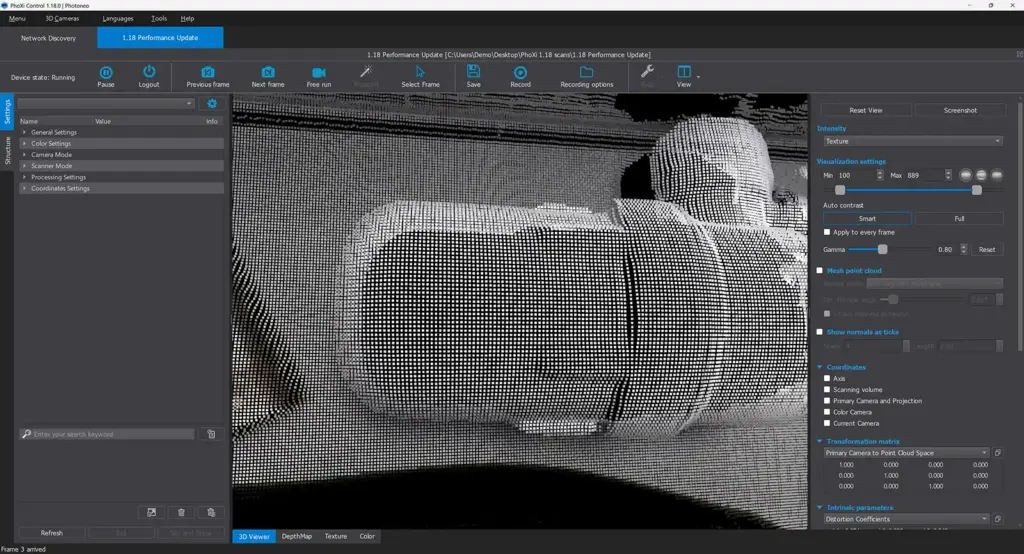
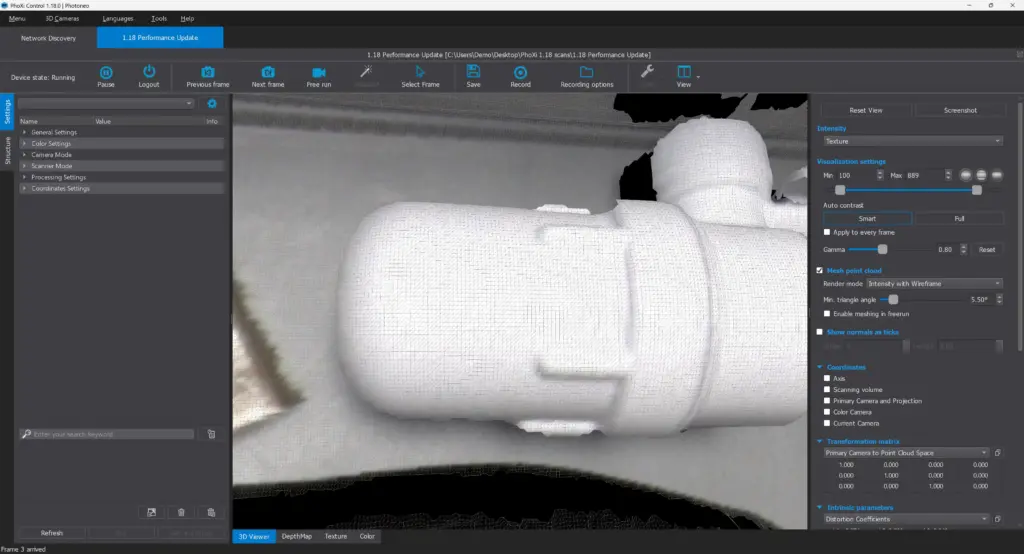
- PLY import. PLY files can be opened and saved as PRAW.
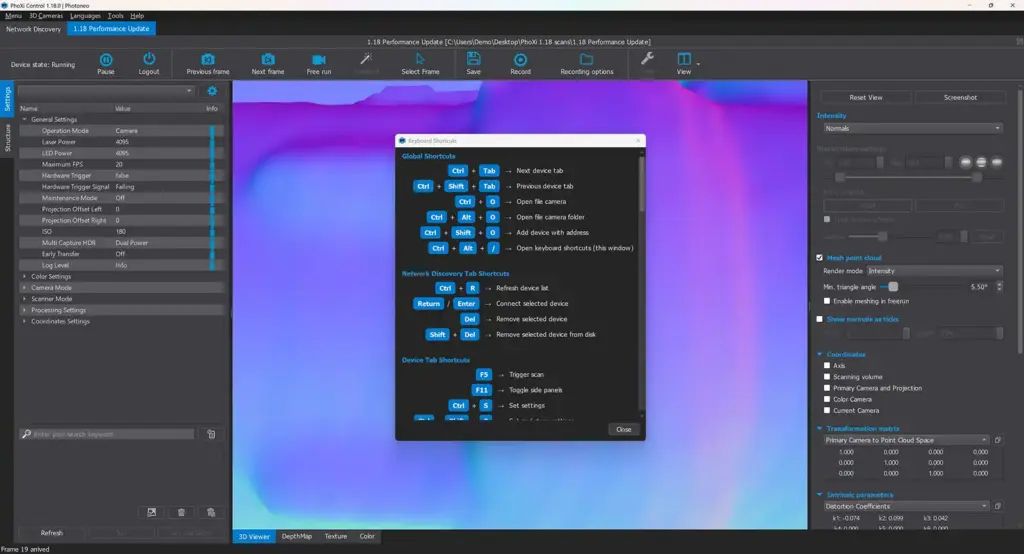
- Keyboard shortcuts menu. A new menu lists the available shortcuts with short descriptions.
- Settings Assistant. The Settings Assistant frame has been reworked. All the new firmware features are now also supported within the Settings Assistant for streamlined configuration.
Maintenance and compatibility
- Smaller firmware updater. The updater package is about one third of its previous size. This mainly helps when distributing updates to many sensors or to sites with slow or no internet access.
- Ubuntu 26.04 support. PhoXi Control is fully supported on Ubuntu 26.04.
- PRAW support for third-party applications. A PhoPrawExtractor.exe utility lets developers open Photoneo’s PRAW files inside their own software, for example through drag and drop. The accompanying DLL exposes only the data needed to use the scan, not the full internal file structure.